How To Identify Safe Online Video Downloader Websites
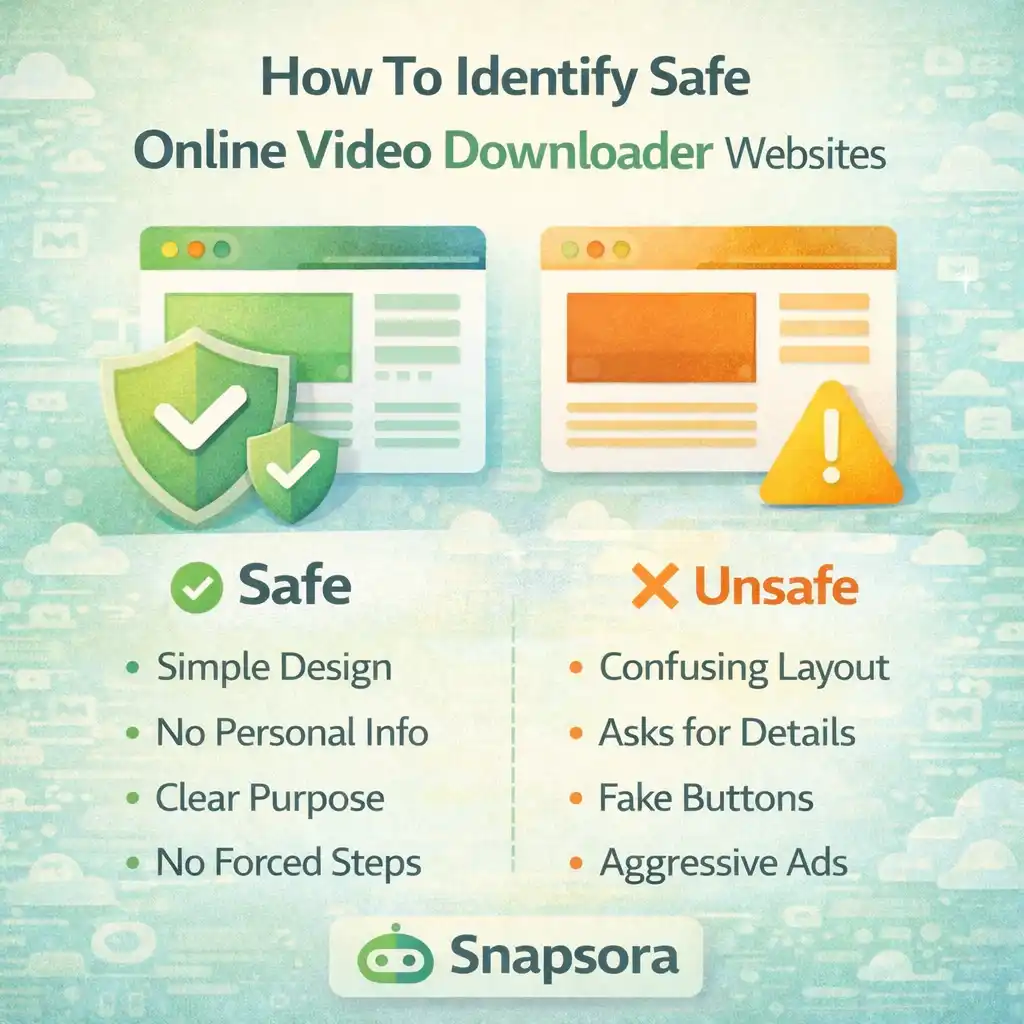
The internet is full of online video tools. Some are helpful, simple, and safe. Others can be confusing, risky, or even harmful. For beginners, it is often very hard to tell which online video downloader website is safe and which one should be avoided.
Many users only look at results like “works fast” or “looks modern,” but safety is much more important than speed or design. A safe website protects your privacy, your device, and your peace of mind.
This article explains how to identify safe online video downloader websites in very easy and simple words. There are no hard terms and no technical talk. Everything is explained step by step so even a beginner can understand clearly.
We will also mention Snapsora only as an example of a simple utility tool, not as a video creator or content owner.
Why Safety Matters When Using Video Downloader Websites
When you use any online tool, you are:
-
Opening a website
-
Interacting with code
-
Sometimes downloading files
If a website is not safe, it can:
-
Show harmful ads
-
Mislead users
-
Collect data without permission
-
Cause stress or confusion
That is why knowing how to identify a safe website is very important.
First Sign of a Safe Website: Simplicity
Safe websites are usually simple.
They often have:
-
A clean layout
-
Clear purpose
-
Fewer buttons
-
No confusing pop-ups
Unsafe websites often look:
-
Too crowded
-
Full of flashing ads
-
Full of fake buttons
If a website feels confusing, it is a warning sign.
Clear Explanation of What the Website Does
A safe video downloader website clearly explains:
-
What it does
-
What it does not do
-
What kind of videos it works with
If a site does not explain itself clearly, users are left guessing. Safe sites do not hide their purpose.
No Forced Account Creation
One strong sign of a safe website is no forced sign-up.
Be careful with sites that:
-
Force email registration
-
Ask for passwords
-
Ask for personal details
Most simple video tools do not need accounts at all. Fewer personal details mean better safety.
No Requests for Personal Information
A safe website does not ask for:
-
Name
-
Phone number
-
Address
-
Identity documents
If a video downloader asks for personal information, that is a big red flag. Such details are not needed for simple video handling.
Watch How the Website Handles Ads
Ads alone do not mean a site is unsafe, but how ads appear matters.
Safe websites:
-
Keep ads minimal
-
Do not interrupt actions
-
Do not force clicks
Unsafe websites:
-
Show pop-ups again and again
-
Redirect users suddenly
-
Hide fake download buttons
If ads feel aggressive, it is better to leave the site.
No Automatic Downloads Without Permission
A safe website:
-
Waits for your action
-
Does not auto-download files
-
Does not push unknown files
If a site starts downloading something without asking, that is dangerous behavior.
Clear Boundaries About Content
Safe video downloader websites usually mention:
-
They work with publicly available videos
-
They do not claim ownership
-
They respect content boundaries
Websites that make big promises without boundaries should not be trusted.
Simple and Honest Language
Safe websites use:
-
Normal language
-
Clear sentences
-
Honest explanations
Be careful of websites that:
-
Use scary words
-
Use pressure language
-
Make unrealistic claims
Honesty is a strong safety signal.
No “Too Good To Be True” Promises
Unsafe websites often promise:
-
Everything unlimited
-
Perfect results every time
-
No rules at all
In real life, every tool has limits. Safe websites are honest about what they can and cannot do.
Check If the Website Loads Normally
Safe websites usually:
-
Load smoothly
-
Do not redirect many times
-
Do not freeze the browser
If a site keeps redirecting you or opening new pages, it may not be safe.
No Hidden Steps
A safe site shows:
-
Clear steps
-
Simple flow
-
Predictable behavior
Unsafe sites often:
-
Add extra steps suddenly
-
Change buttons
-
Confuse users
Transparency is a sign of safety.
Read the Tone of the Website
Tone matters a lot.
Safe websites feel:
-
Calm
-
Professional
-
Informative
Unsafe websites feel:
-
Pushy
-
Urgent
-
Aggressive
If a site pressures you, trust your instinct and leave.
Privacy Clarity Is a Big Plus
A safe website explains:
-
What data is used
-
What data is not stored
-
How the tool works
Even a short privacy explanation shows responsibility.
No Claims of Ownership Over Videos
Safe video downloader websites:
-
Do not claim videos as theirs
-
Do not host content
-
Do not rebrand content
They act only as utility tools, not content platforms.
Why Utility-Style Websites Are Safer
Utility-style websites:
-
Focus on one job
-
Avoid extra features
-
Keep things simple
Snapsora, for example, works as a utility tool that helps users manage publicly available videos, without accounts or ownership claims. This kind of focused design is usually safer.
Avoid Websites With Fake Buttons
Fake buttons are very common on unsafe sites.
Signs of fake buttons:
-
Multiple “Download” buttons
-
Buttons that open ads
-
Buttons that do nothing useful
Safe sites usually have one clear main action.
No Forced Software Installation
Safe online tools:
-
Work directly in the browser
-
Do not force app installation
If a site asks you to install unknown software, it is better to avoid it.
Clear Contact or About Section (Optional but Helpful)
Some safe sites include:
-
An About page
-
A Contact section
-
Basic information
This shows the site is not trying to hide.
Trust Your First Feeling
Many times, users feel something is wrong but ignore it.
If you feel:
-
Confused
-
Pressured
-
Uncomfortable
It is okay to close the website. Safety always comes first.
Beginners Should Be Extra Careful
Beginners often:
-
Click too fast
-
Ignore warnings
-
Trust shiny designs
Learning safety early helps avoid mistakes and stress later.
Why Safe Websites Feel “Boring”
Interestingly, safe websites often feel:
-
Less flashy
-
More boring
-
More calm
That is a good thing. Safety does not need excitement.
Avoid Websites That Mix Too Many Features
Websites that try to do:
-
Too many things
-
Many unrelated tasks
are often poorly managed. Focused tools are usually safer.
One Task, One Tool Rule
A good rule:
-
Use one tool for one purpose
If a video downloader also tries to:
-
Sell things
-
Offer unrelated services
It may not be trustworthy.
Safety Is About Reducing Risk
No website is perfect, but safe websites:
-
Reduce risk
-
Respect users
-
Stay within clear limits
This mindset matters more than features.
Simple Checklist to Identify Safe Websites
Before using a site, ask:
-
Is it simple?
-
Does it avoid asking personal info?
-
Does it explain itself clearly?
-
Does it avoid aggressive ads?
If most answers are yes, the site is likely safer.
Why Learning This Skill Is Important
Knowing how to identify safe websites:
-
Saves time
-
Prevents stress
-
Protects devices
-
Builds confidence
This skill is useful for life, not just video tools.
Safety Is a Habit, Not a Feature
Using safe websites is about:
-
Awareness
-
Care
-
Responsibility
Good habits protect you better than any feature.
Conclusion
Identifying safe online video downloader websites is not difficult if you know what to look for. Simple design, no forced accounts, clear purpose, respectful behavior, and honest explanations are the strongest safety signs. Unsafe websites usually rely on confusion, pressure, and aggressive tactics.
Utility-style tools like Snapsora show how a focused, simple, and transparent approach can reduce risk and build trust. By learning these signs, users can confidently choose safer websites and avoid unnecessary problems.
Responsibility & Disclaimer
This article is for educational purposes only. Snapsora is a utility tool designed to help users manage publicly available AI video content responsibly. It does not generate, host, own, or control any video content. Users are responsible for respecting content ownership, platform policies, and applicable rules when using online video tools.