Understanding The Technology Behind Online Video Download Tools
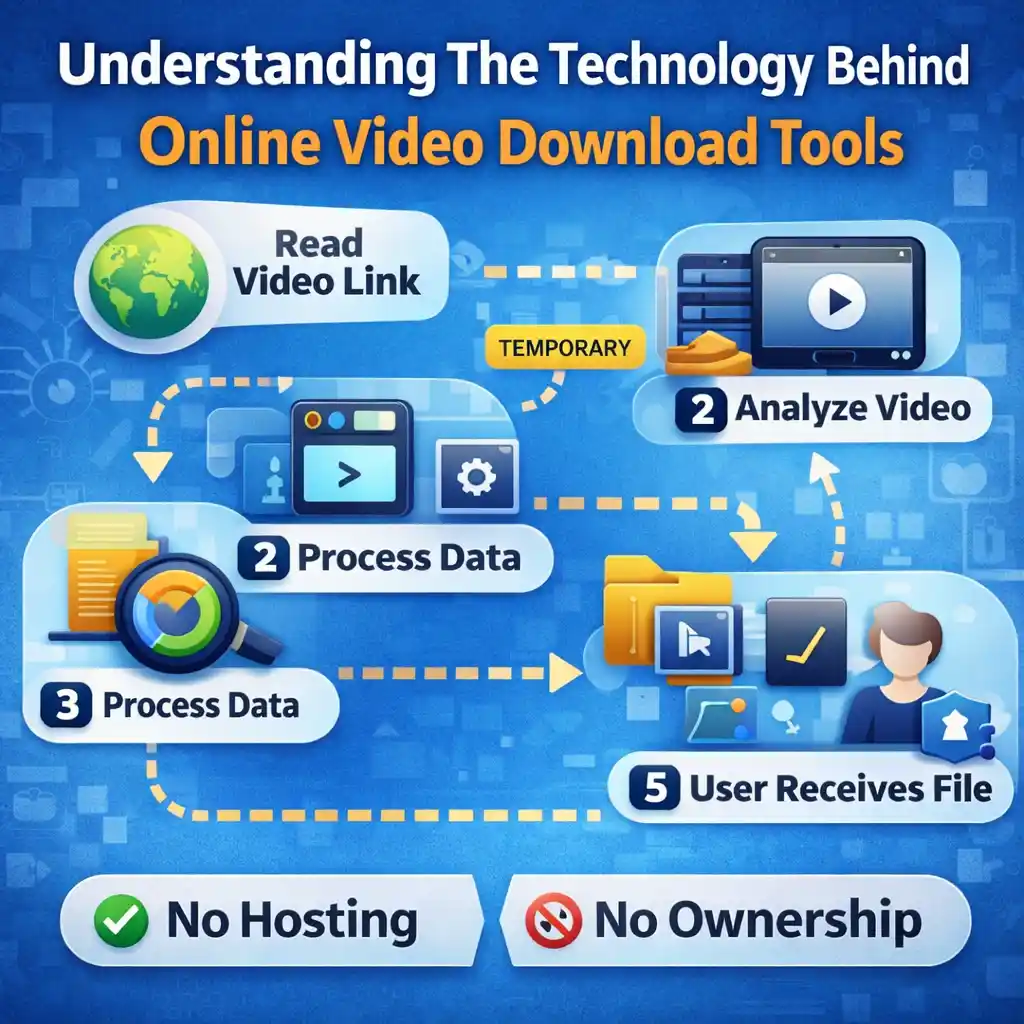
Online video download tools are widely used by people who want a simple way to manage videos that are already publicly available on the internet. For beginners, these tools may look complex or even confusing. Many users wonder what actually happens behind the scenes when a video link is processed.
This article explains the general backend logic of online video download tools in a clear and easy way. The focus is on technology concepts, not technical coding, and on understanding, not misuse. We will also explain where Snapsora fits into this picture as a utility tool, not a video creation platform.
Why Understanding the Backend Matters
Most users only see the front side of a video tool: a box to paste a link and a button to start. But understanding the backend logic helps users:
- Build trust in the tool
- Know what the tool can and cannot do
- Avoid false assumptions
- Use tools more responsibly
Backend logic does not mean complicated programming here. It simply means how the tool works step by step in the background.
What Online Video Download Tools Are Designed For
At their core, online video download tools are built to perform three basic tasks:
- Read publicly available video links
- Identify video data and format
- Help users receive the video file
These tools do not create videos. They do not own content. They work only with existing, accessible video data.
Step 1: Link Input and Validation
The process begins when a user pastes a video link.
Behind the scenes, the tool:
- Checks if the link format is valid
- Confirms that the link points to a public video
- Verifies that the video is reachable
If the link is broken or restricted, the tool usually cannot proceed. This step protects the system from unnecessary processing.
Step 2: Temporary Video Information Reading
Once the link is accepted, the tool reads basic video information.
This may include:
- Video resolution
- File size (approximate)
- Encoding type
- Streaming structure
This information helps the tool understand how the video is delivered online. It does not involve copying ownership data or storing content.
Step 3: Understanding Video Streaming vs Files
Many beginners think videos exist as simple files online. In reality, most online videos are delivered through streaming systems.
Streaming means:
- Video data is sent in small parts
- These parts are played in order
- The full video is not always stored in one place
Download tools are designed to:
- Detect these video parts
- Organize them in the correct order
- Prepare them for user-side handling
This is a technical process, but it happens automatically.
Step 4: Temporary Processing, Not Storage
One important point is temporary processing.
Good utility tools:
- Do not save videos permanently
- Do not build video libraries
- Do not keep copies after the task is done
The processing exists only to complete the user’s request. Once finished, the tool’s role ends.
This design reduces privacy risks and keeps the system lightweight.
Step 5: File Preparation for the User
After processing, the tool prepares the video file in a usable format.
This may involve:
- Combining video parts
- Making sure audio and video are synced
- Ensuring the file works on common devices
The final file is handled by the user’s device, not the tool’s servers.
Why Online Video Tools Avoid Hosting Content
Hosting videos requires:
- Large storage space
- Legal responsibility
- Content moderation
Most utility-based video tools intentionally avoid hosting. Their goal is assistance, not distribution.
This approach:
- Respects original creators
- Reduces legal complexity
- Improves user privacy
Snapsora follows this same utility-first idea.
Ownership and Rights Are Not Touched
A common misunderstanding is that video tools change ownership. They do not.
Ownership always stays with:
- The original creator
- Or the platform where the video was shared
Backend technology does not rewrite rights. It only helps with technical access, not legal control.
Security and Privacy Considerations
Modern tools are designed to limit data exposure.
Typical privacy-focused backend practices include:
- No login requirements
- No long-term logs of user activity
- No saved video files
This approach protects both users and the platform.
Why Backend Simplicity Is Important
A simple backend:
- Runs faster
- Has fewer errors
- Is easier to maintain
- Is safer for users
Complex systems increase risks. That is why many modern tools prefer simple, task-focused backend designs.
Where Snapsora Fits In
Snapsora uses these same general backend principles.
It:
- Works with publicly available video links
- Processes data temporarily
- Avoids hosting and ownership
- Focuses on user-side file handling
Snapsora is designed as a utility tool, not a content platform or AI video generator.
Common Myths About Video Download Tool Technology
Let’s clear a few myths:
- Myth: Tools secretly store videos
Reality: Utility tools process temporarily - Myth: Tools take ownership of content
Reality: Ownership never changes - Myth: Tools control video platforms
Reality: They only read available data
Understanding these facts helps users feel more confident.
Responsible Use Depends on the User
Even with simple and transparent backend technology, responsibility still matters.
Users should:
- Respect platform rules
- Understand personal use limits
- Avoid misuse or redistribution
Technology supports actions, but choices remain human.
Why Learning the Backend Builds Trust
When users understand:
- What happens in the background
- What data is touched
- What is not stored
they trust tools more. Education removes fear and confusion.
Conclusion
The technology behind online video download tools is simpler than many people think. These tools follow a clear process: link reading, temporary processing, file preparation, and user-side handling. They do not host videos, change ownership, or control content rights.
Tools like Snapsora are built on these general backend principles to offer convenience while respecting boundaries. For beginners, understanding this backend logic helps them use such tools wisely, confidently, and responsibly.
Responsibility & Disclaimer
This article is for educational purposes only. Snapsora is a utility tool designed to help users manage publicly available AI video content responsibly. It does not host, own, or control any video content. Users are responsible for respecting content ownership, platform policies, and applicable rules when using online video tools.